Missing Features dialog doesn't show all missing features
Test case
Steps
- Connect to a Quassel core
0.12.5 - View the
Missing Featureswarning dialog in portrait - Try to scroll
- View the
Missing Featureswarning dialog in landscape - Try to scroll
Expected
The full list of missing features is accessible via scrolling.
Actual
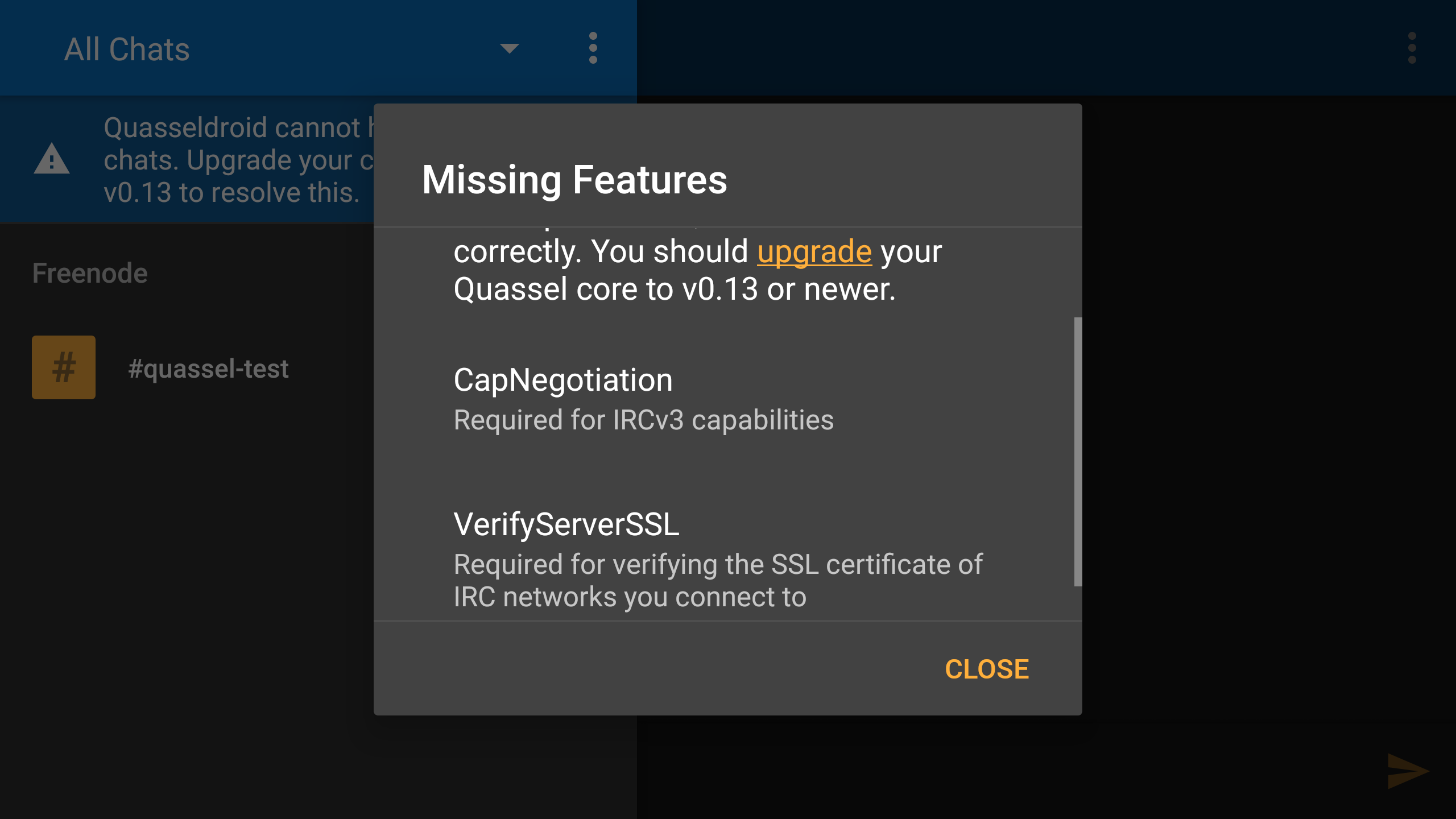
The list of missing features cuts off several features depending on the height of the dialog. Scrolling does not reveal all of them.
Additional
Nexus 6, LineageOS 15.1, with Expanded Desktop enabled (hidden status bar and navigation buttons). Perhaps something to do with overflow handling?
Screenshots of the issue
Landscape
Notice the scroll bar. Only the two visible items could be seen.
Portrait
Scrolled down all the way. Only the visible items could be seen.
